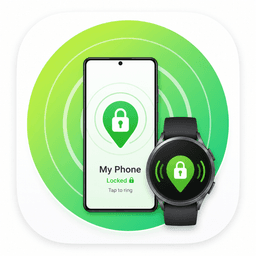
The Find My Phone button on your wrist.
Skip the laptop, browser login, and 2FA loop. One tap on your Galaxy Watch rings, locks, or locates your Android phone the moment panic starts.
Forgot where you left or lost your phone?
The usual fix asks you to find another device, sign in, pass 2FA, and hope the phone is nearby. Watch Lock & Find puts the rescue button where you already look first.

The Panic Search
It was just here a minute ago.

Three moments it was built for
Short, visual, and instantly understandable: the watch becomes the remote control for the phone you cannot reach.
Buried in the couch
Phone is on silent. Tap Ring on the watch and the phone blasts an alarm anyway.
Left at a cafe
You step away and realize the phone is gone. Tap Lock before anyone can open it.
Emergency sweep
SOS runs Lock, Ring, and Locate together, giving you one big response from one small button.
Who will use it most?
The strongest audience is Galaxy Watch and Wear OS users who often misplace their Android phone at home, work, college, cafes, or during a commute.
Primary buyer
Galaxy Watch users who lose their phone on silent.
Galaxy Watch power users
People who already wear a watch every day and want a practical utility beyond fitness and notifications.
People who lose phones at home
The phone is under a pillow, in the couch, or in another room on silent. Ring from the wrist and end the search.
Busy professionals
Office, gym, cafe, cab, meeting room. One tap to lock the phone fast when it is not in hand.
Students and commuters
Moving between class, transit, hostel, and cafes makes a wrist-first phone finder feel instantly useful.
Privacy-conscious Android users
People who care about securing their phone quickly before someone else can open notifications, apps, or files.
Family and older users
A simple watch button is easier to remember than opening a browser, signing in, and finding the right device page.
Command your phone from your wrist
Powerful features designed specifically for the Galaxy Watch and Wear OS ecosystem.
Phone Dashboard
Control center with Biometric lock, Live Status, and Last Command/Location mapping.
Instant Screen Lock
Lock your phone remotely in one tap from the watch. Keeps your data secure.
Find Phone
Ring your phone instantly from your watch, with silent mode override for the moments that matter.
GPS Locate
Forces the phone to push its latest GPS coordinates straight to your watch.
SOS Mode
A single button that simultaneously Locks, Rings, and Locates the phone in emergencies.
Quick Access Tile
Trigger commands with a quick swipe right on your watch, without even opening the app.
Try the experience
Your Watch
Your Phone
More than the default Find My flow
See how Watch Lock & Find goes beyond the basic utility included with your smartwatch.
No more searching for your phone in the dark.
No more panic when it's out of sight.
Instantly locate a misplaced device, overriding silent modes effortlessly.
Secure your data immediately with a single tap on your wrist if you leave your phone unattended.
Give your smartwatch a powerful, practical security purpose.
Choose your protection
Start free with the two buttons you need most. Upgrade once when you want full location, SOS, and battery awareness on your wrist.
Free Plan
The everyday rescue buttons that make the app useful from day one.
No payment needed.
- Ring Phone
- Remote Lock
- GPS Locate
- SOS Mode
- Battery on Watch
Pro Plan
The complete anti-theft and remote utility suite.
Same simple price in every region.
Google Play may show taxes or local payment details at checkout.
Upgrade to Pro₹90- Everything in Free
- GPS Locate
- SOS Mode
- Battery on Watch
Works with your gear.
- Galaxy Watch Ultra
- Galaxy Watch 7 / 6 / 5 / 4
- Pixel Watch Series
- All Wear OS 3+ Devices
The Technical Edge.
Direct Firebase writes ensure blazing fast, secure remote actions without middleware.
The phone app is protected by Fingerprint/Face ID lock screen.
Install on phone, and seamlessly sync to your Wear OS watch instantly.
All data travels through your private Google-secured database.
Device Compatibility Report
Detailed system requirements for the Watch Lock & Find ecosystem.
1. Mobile Phone (Android)
- Minimum OS: Android 8.0 (Oreo) / API Level 26
- Target OS: Android 15.0 / API Level 35
- Hardware Requirements:• Biometric Sensor (Fingerprint or Face Unlock) OR Secure PIN/Pattern fallback.
• GPS / Location Sensor (Required for Locate and SOS features).
• Active Internet Connection (WiFi, 4G, or 5G).
• Vibrator motor.
2. Smartwatch (Wear OS)
- Minimum OS: Wear OS 3.0 / API Level 30
- Target OS: Wear OS 5.0 / API Level 35
- Supported Models: Samsung Galaxy Watch 4/5/6/7/Ultra, Pixel Watch 1/2/3, TicWatch Pro 3/5, Fossil Gen 6, etc.
- Screen Support: Fully optimized for Circular watch faces. Compatible with Square Wear OS watch faces.
- Hardware Requirements: Bluetooth 4.2+ (for local ringing). WiFi or LTE SIM (required for Pro out-of-range commands).
3. Software & Account
- Google Play Services: Must be installed and up-to-date on both devices.
- Google Account: Required on both devices for secure cloud synchronization.
- Companion Linking: Both apps must be installed using the same Google Account to ensure background communication via Firebase works correctly.
- Device Admin: Phone must allow Device Administrator permissions to enable the Remote Lock feature.
4. Connectivity Performance
- Bluetooth-Only Mode: Best for local Find my Phone ringing.
- Cloud Mode (LTE/WiFi): Required for Lock, Locate, and SOS features when the devices are separated by a long distance.
Frequently Asked Questions
Everything you need to know about Watch Lock & Find.
Does it work when the phone is off?
No app can function if the device is completely powered off. However, the Remote Lock feature prevents thieves from accessing your quick settings to turn off WiFi/Mobile Data or power off the device easily without your biometric authentication, buying you valuable time to locate it.
Does it drain battery?
No. Both the watch and phone applications are highly optimized to run purely via Firebase Cloud Messaging push notifications. There are no heavy background polling services. It consumes virtually 0% battery when idle.
Which watches are supported?
Any smartwatch running Wear OS 3.0 or higher. This includes the Samsung Galaxy Watch 4, 5, 6, 7, and Ultra, as well as Google Pixel Watches and newer TicWatch models. Apple Watches are not supported.
Ready to secure your phone from your wrist?
Be among the first to upgrade your smartwatch experience.